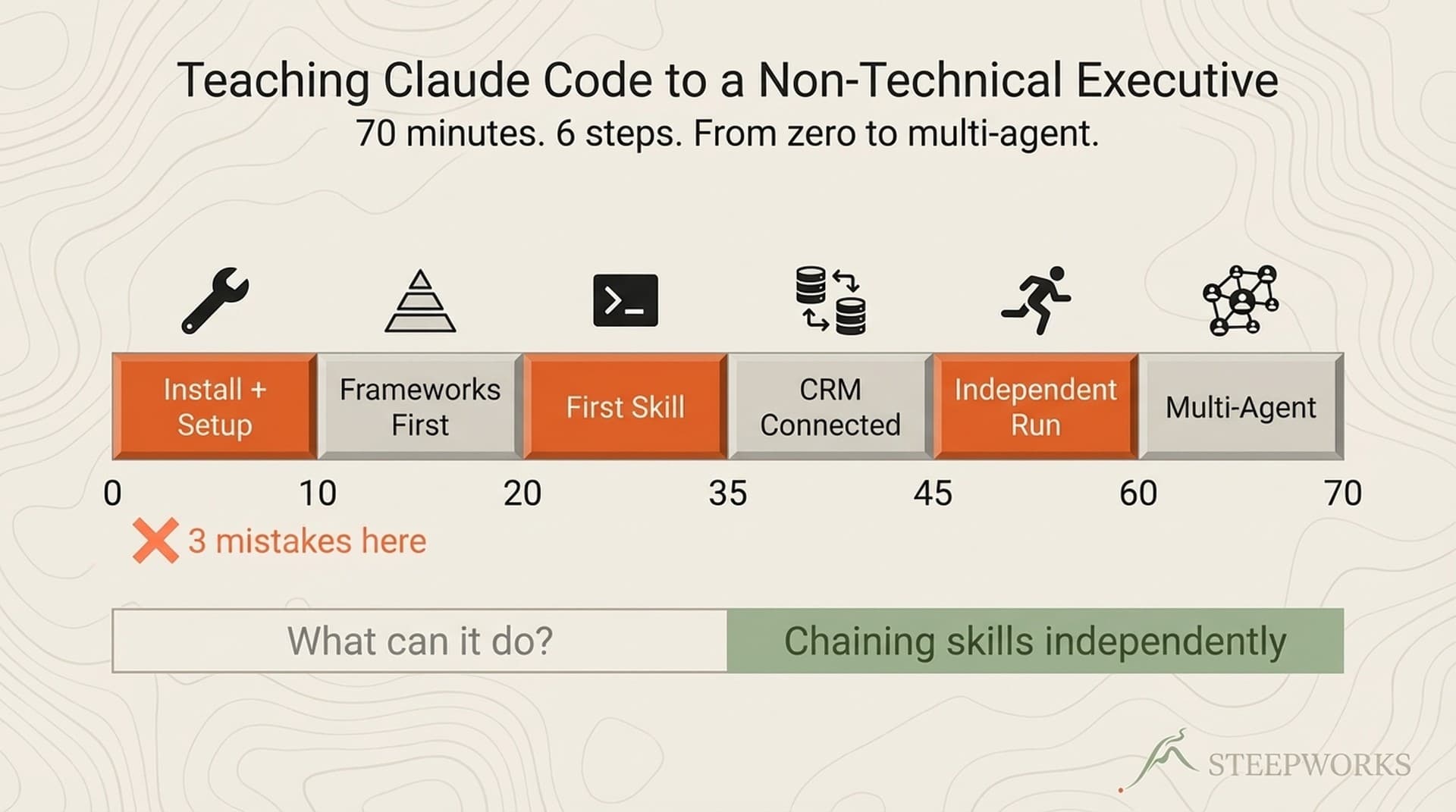
I recently spent 70 minutes on a video call teaching the CCO of a PE-backed industrial company how to use Claude Code. He'd paid for the system. He'd installed Cursor. He'd connected a Gemini MCP server on his own. Within the first 10 minutes, I'd already made three mistakes that almost lost him.
Most guides to Claude Code for non-developers are tutorials — what to click, what to type, how to install. This is a buildlog of what happened when I sat with an executive who self-describes as "not a power terminal/AI person" and tried to get him to value in a single session. Six things worked. Several things broke. Here's the full accounting.
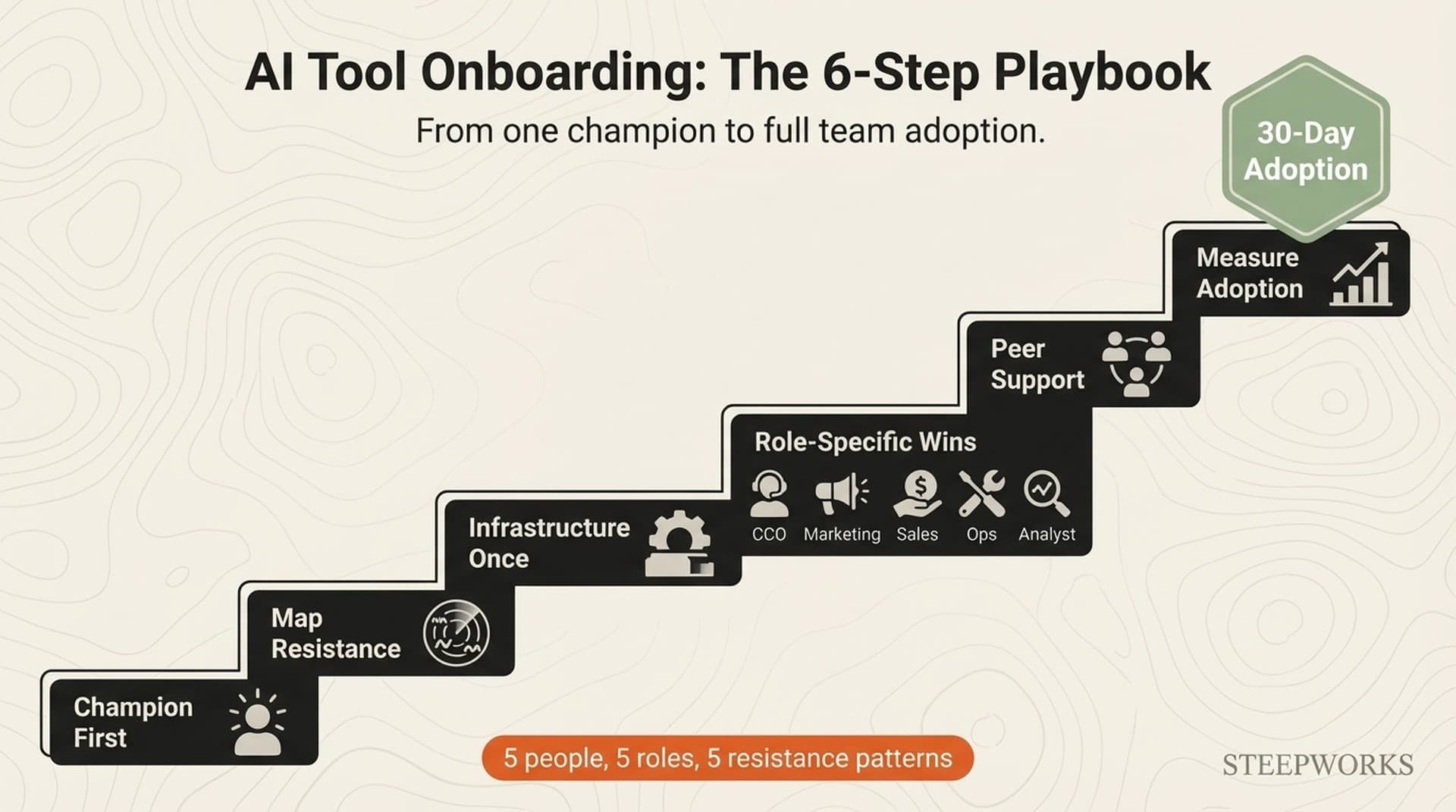
If you're the implementer — the consultant, ops lead, or AI-savvy team member asked to get a non-technical executive productive with Claude Code — this article is for you. If you're the executive, the six steps still apply. You'll just be both teacher and student.
By minute 70, an executive who'd never opened a terminal on purpose was running multi-agent planning sessions independently (using patterns from the 90-Min Setup Guide). That didn't happen because I showed him features. It happened because I got the teaching order right — after getting it wrong first.
Step 0 — Know Who You're Teaching (And What They Actually Want)
Here's the context that MIT Sloan has been writing about: AI coding tools aren't just for developers anymore. Agreed. But that article — and most like it — stops at the thesis. What happens when an actual executive tries to use one?
The executive in this session: CCO at a PE-backed embedded controls company. Self-described "not a power terminal/AI person." His stated goal, in his own words: "My goal is less about you do and more about me learn."
What surprised me was what he'd already done before the call. He'd installed Cursor, set up a BitBucket repo per IT security requirements, connected Gemini MCP, committed a growth_strategy folder full of presentations and internal docs, and run Claude Code enough to generate initial reports. He'd upgraded from Pro to Max because his first deep planning session burned through all his credits.
That last detail tells you everything about his intent. He'd already hit the credit wall. He wasn't experimenting — he was trying to build something. His question wasn't "is this useful?" It was "how do I use this correctly?"
That reframes the teaching challenge. This isn't an installation walkthrough. It's a translation problem — converting a systems tool into strategic language an executive already speaks.
What he actually wanted: "I want more of a birds eye view, like build me a funnel understanding." He wanted to know WHERE HE WAS in the system, not WHAT THE SYSTEM COULD DO.
That distinction drove the entire session.
Step 1 — Frameworks Before Tools
This was the single most important insight, and I almost missed it.
What I did wrong: I showed him a table of 16 skills. Slash commands, MCP connections, the whole catalog. Classic builder mistake — showing machinery before purpose. His response was immediate: "you're rushing me here."
He was right. I was.
What he needed was a framework. Three parts: Foundation (who are we, who do we sell to) leads to Research (what does the market look like) leads to Execution (campaigns, content, outreach). Three boxes. Everything maps to one of them.
The behavioral proof came faster than I expected. Before the framework, he asked open-ended questions: "what can it do?" — infinite and paralyzing, no useful answer because no boundary. After the framework — within ten minutes — his questions changed completely. He said: "if I say yes, would you invoke deep planning?" He wasn't asking what the tool could do. He was telling me which skill to use and when.
He started self-locating without prompting. "So the ICP work — that's Foundation. And the HubSpot analysis — that's Research." Mapping his own priorities to the framework before I asked him to.
This generalizes. Every executive I've onboarded responds the same way. They don't want the tool catalog. They want three things: How does this system think? Where am I in that framework? What's my next step?
Give them that, and the tool questions answer themselves. Skip it, and you get "you're rushing me here" — if you're lucky enough to have someone who tells you directly.
Step 2 — Import First, Build Second
I almost launched into "let's build your ICP from scratch" — a multi-step exercise that would have eaten the rest of the session. He stopped me: "you're asking me to do too much work."
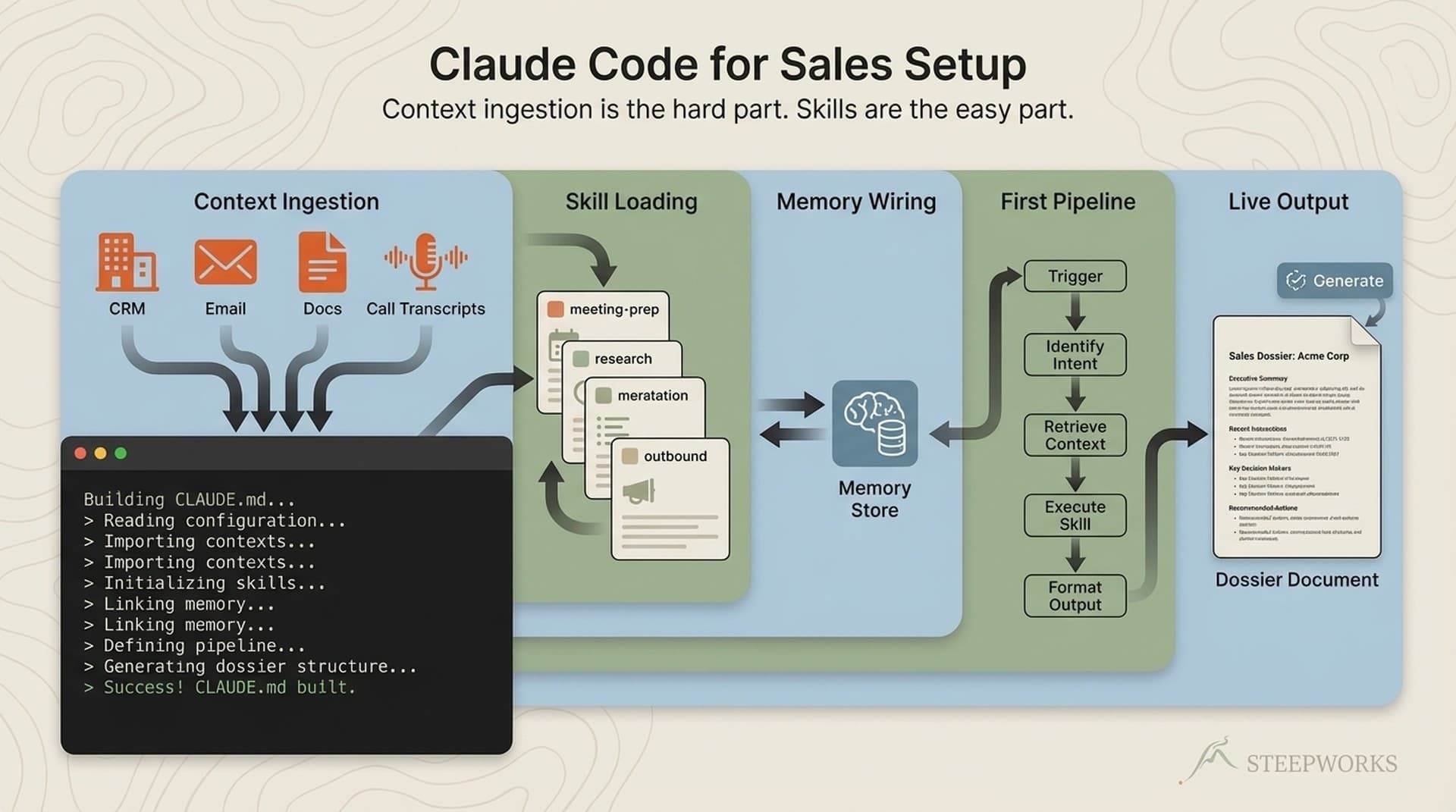
The fix was obvious in retrospect. Ask "what do you have?" before "let's build." He'd already uploaded PowerPoint decks, customer data, growth strategy presentations. The system should ingest what exists, then surface what's missing.
Then he gave me the golden prompt. His words, unprompted:
"Use deep planning skill and prompt creator around knowledge synthesis to look at the files I am about to point you to and create a plan to populate this repository with synthesis files and well organized markdown files of everything I give you."
Read that again. A CCO who twenty minutes earlier was asking for a "birds eye view" just chained three skills together in natural language — deep planning, prompt creator, knowledge synthesis — because the framework gave him the vocabulary. He didn't need me to build his ICP. He needed the system to extract it from data he'd already collected.
I suspect this is the norm for executives. They live in decks, spreadsheets, and CRM data. They have more raw material than most technical users I've onboarded. They just need a system that can ingest it, not a blank canvas.
Step 3 — The Infrastructure Nobody Warns You About
Of our 70-minute call, infrastructure issues ate roughly 25 minutes. More than a third. No tutorial prepares you for this, and if you don't budget for it, your executive will assume the tool is broken when it's actually the plumbing.
BitBucket, not GitHub (~10 minutes). IT security required Atlassian tooling. Every Claude Code tutorial assumes GitHub. We hit an "unrelated branches" error — his master and my main had no common history. Ended up manually copying files between branches. Not in any Claude Code documentation.
2GB repo from PowerPoint files (~5 minutes to diagnose). He committed his growth_strategy folder with binaries — .pptx, .xlsx, .pdf. Repo ballooned past 2GB. Fix: convert to markdown before committing, add .gitignore for binaries from day one. The executive didn't know PowerPoints are "bad" for git — why would he?
Cursor agent interference (~5 minutes). Cursor's built-in AI agent kept activating alongside Claude Code. His question: "Do I want to configure Claude skills commands and Claude MD to work in Cursor automatically?" My answer: "No, you can ignore it." Fix: disable via the toolbar toggle.
HubSpot private app setup (~5 minutes). Creating the private app, selecting read-only scopes, figuring out which CRM objects mattered. He enabled contacts, companies, deals, events — and a mystery "Courses" custom object neither of us recognized. "You know what courses would be?" "I mean, I haven't seen that before." We turned on read for everything and moved on.
Permissions configuration from scratch. No template existed for "safe defaults for a non-technical executive." We built it live: allow reads and web search, require approval for writes, deny destructive commands. "Delete, deny. Reboot, remove, format — don't want you to do those things."
Every one of these issues is specific to real-world deployment. Every one is absent from the standard tutorial.
Step 4 — Prove Value in 60 Seconds (Then Prove It Again)
After 25 minutes of infrastructure, your executive's patience is thin. You need a proof point fast. But one isn't enough — you need two, different in kind.
Proof point 1: CRM query. After setting up HubSpot, I said: "Ask it something about your data." He typed a question about contacts at a major defense contractor. Claude pulled the count instantly. His response: "Yeah, seems right. Right enough."
Understated. But the energy shifted. He stopped asking about setup and started asking about work. Within 30 seconds he asked about connecting NetSuite — their ERP. The first proof point didn't just validate the tool. It made him want more connections.
Proof point 2: Plan Mode. I showed him Plan Mode (Shift+Tab) for a real task — building an ICP analysis from his HubSpot data. When the plan appeared with phases, sub-agents, and a review structure, he got it immediately: "if I say yes, would you invoke deep planning?"
He understood the workflow without me explaining mechanics. Plan Mode is visual. For an executive who thinks in strategy decks, a visual plan is native language.
Anthropic's own teams use Claude Code this way — non-engineering functions like legal, policy, and marketing run it for their own work. But the onboarding moment that converts setup frustration into genuine interest requires both proof points in sequence. The CRM query proves the tool connects to their world. Plan Mode proves the tool thinks in a way they recognize. Connection plus cognition. Both necessary.
Step 5 — Teach the Three Patterns That Make It Compound
After the proof points, teach operating patterns — not features, but behaviors that turn a tool into a system.
Pattern 1: Cost-aware model switching. He'd already experienced this: "I ran out of the credits pretty quickly when I was just on the Pro plan, which is why I upgraded to Max." So when I showed him the model selector — Opus for planning, Sonnet for execution, Haiku for batch work — this wasn't a demo. It was the answer to a problem he'd already paid to discover.
Pattern 2: Parallel execution. "You can probably get four or five terminals running concurrently." His immediate question: "Is there a way to view them simultaneously?" Yes — drag terminals to split view. But notice what he was already doing. He was thinking about workflow: "I can have this ICP analysis running while I set up NetSuite in another terminal." That's executive cognition — parallel workstreams, not sequential tasks. The tool just needed to match how he already thinks.
Pattern 3: State preservation across sessions. The compaction problem: your agent has a token limit, and when it fills up, it compacts. Performance deteriorates. The solution: write status to a plan file at every step so context isn't lost. His reaction told me he'd already encountered this — long sessions where the agent seemed to "forget" what it was working on. Naming the problem was the fix.
What I deliberately didn't teach: slash command syntax, CLAUDE.md file structure, skill file architecture, MCP configuration details. Those are reference material. He'll learn them by doing or by asking the system itself. The three patterns above prevent the failure modes he'll actually hit.
If you're building these patterns into a repeatable system, the Knowledge OS is the pre-built version — skills, permissions templates, onboarding flow, and model-switching defaults already configured.
Step 6 — Let Them Drive (And Document What Breaks)
At minute 0, he was asking "what can this do?"
At minute 70, he was running a multi-agent deep planning session to analyze his customer base from HubSpot. Independently. Not watching me. Running it himself — reviewing the plan, selecting options, hitting yes to proceed.
That arc happened because of teaching order: framework first, import what exists, survive the infrastructure, prove value twice, teach the patterns that compound.
His explicit request framed everything: "My goal is less about you do and more about me learn." He didn't want done-for-you. He wanted teach-me-to-fish. That changes your entire session structure — you're coaching, not performing.
The homework structure. My homework: synthesize his growth_strategy folder (convert PowerPoints to markdown, cascade into the system), create a skills reference organized by his framework, build self-contained HubSpot prompts he can run without me. His homework: NetSuite integration, brand assets, acquisitions documentation, continue populating his repo, run ICP analysis independently. Both parties left with specific, bounded tasks.
What I changed in my system after this session. Redesigned onboarding to import-first — ask "what do you have?" before building anything. Created permissions templates with safe defaults. Documented MCP integration steps for HubSpot, NetSuite, and Gemini. Built a "frameworks before tools" opening sequence. Every improvement came from friction this executive surfaced.
The cadence. Weekly calls, same day, same time. Async collaboration via the shared repo. He drives. I coach. He pushes changes. I review and refine. The system improves every week because he's using it in ways I wouldn't predict.
He was already planning to "train lots more people within the organization." When the executive starts thinking about scale before you've finished session one, the teaching order worked.
The Six Steps, Distilled
Teaching Claude Code for non-developers isn't an installation problem. It's a translation problem.
- Know who you're teaching — they've probably invested more than you assume.
- Frameworks before tools — watch for the behavioral shift. When questions change from "what can it do?" to "what's my next step?" — the framework took hold.
- Import first, build second — they have more raw material than you think.
- Budget 25 minutes for infrastructure — BitBucket, binary files, competing AI agents, CRM scopes, permissions from scratch.
- Prove value twice, differently — connection (CRM query) plus cognition (Plan Mode).
- Let them drive — document every friction point. The executive's friction is your product roadmap.
If you're trying to get a non-technical executive productive with Claude Code, the system matters more than the tutorial. The Knowledge OS is the system we built — and rebuilt — based on sessions exactly like this one. And if you want to talk about getting your executive team onboarded, that conversation starts here.
For more on why Claude Code works for non-technical people, Teresa Torres's explainer at Product Talk is worth the read. This article is the practical companion — what happens when theory meets a real executive, a real CRM, and a real 70-minute clock.
This workflow runs on Claude Code for GTM — the same stack that powers every STEEPWORKS skill and agent.