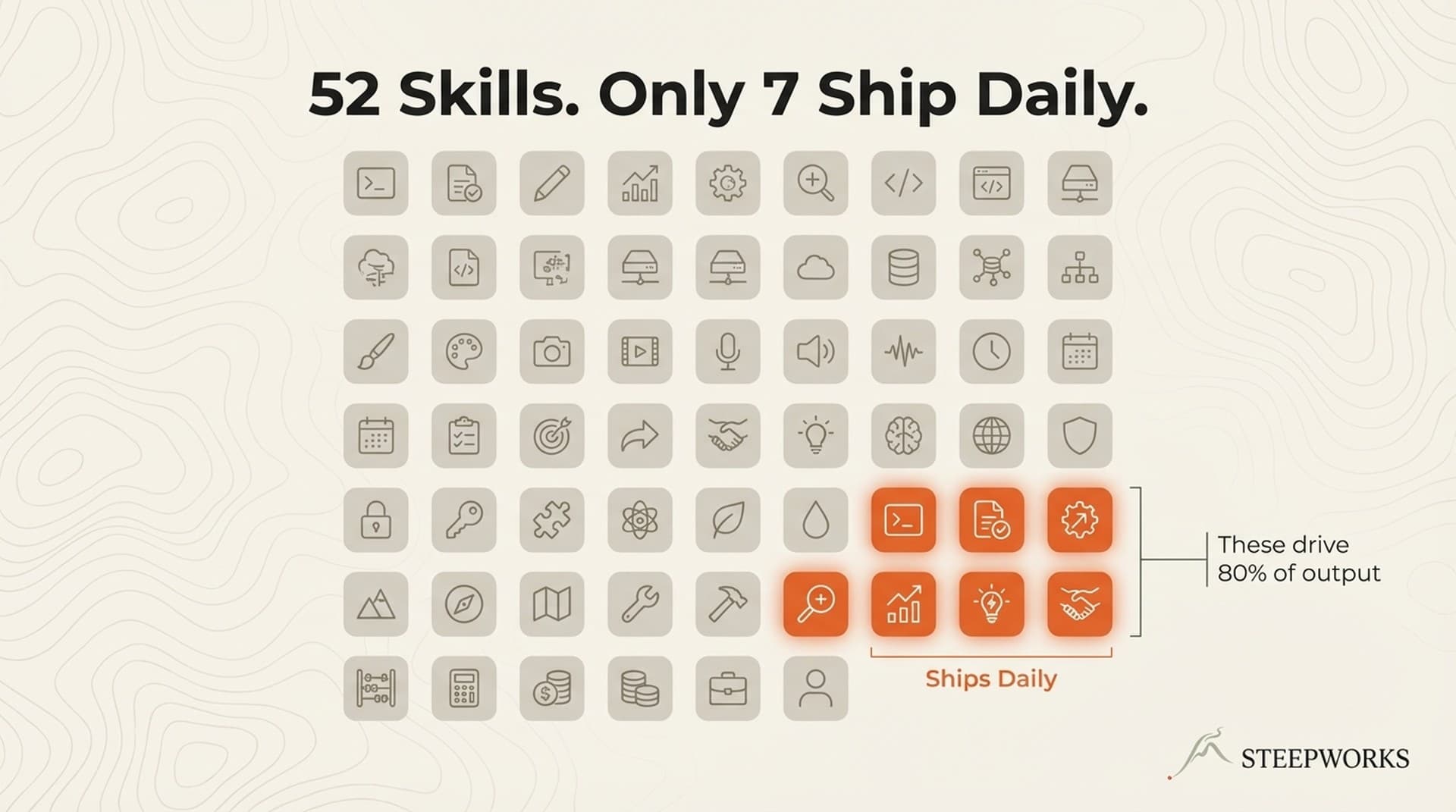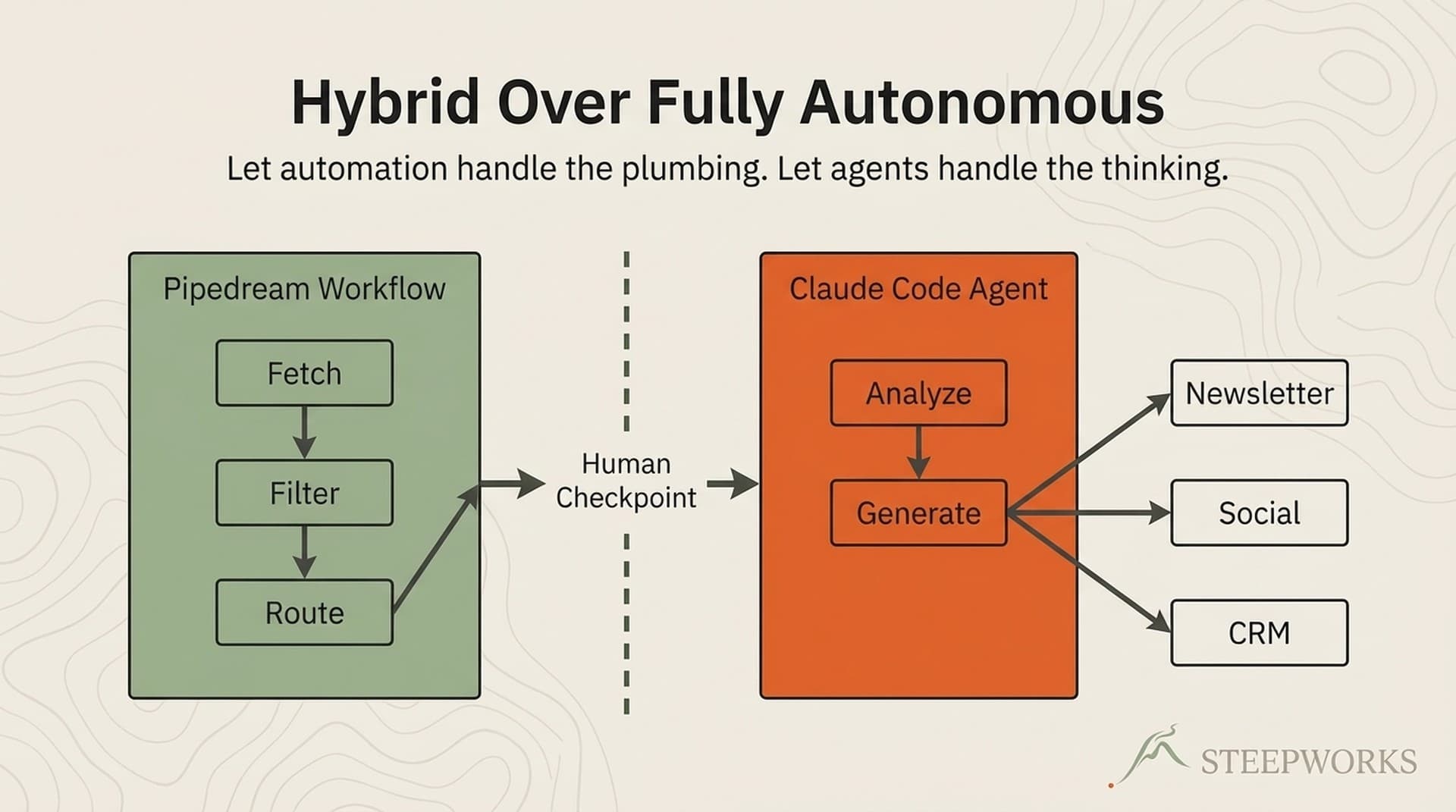
Out of 52 Claude Code skills built over six months, only 7 fire on any given day — the ones handling daily GTM operator work like meeting prep, content quality pipelines, git workflows, and newsletter generation. The other 45 are boutique or shelf-ware. This anatomy breaks down what separates a daily-driver skill from a dust-collector.
I Built 52 Skills. Most of Them Collect Dust.
Over six months, I've built 52 Claude Code skills. Seven fire on any given day. The rest are more boutique. Some are largely shelf-ware.
Those 7 handle the work that GTM operators actually do every day: prepping for sales calls, running content through a quality pipeline, managing git workflows across multiple terminals, generating a weekly newsletter from raw data. Work that used to eat 3-4 hours of context-switching. The other 45 sit in a directory, technically functional, invoked once or twice and forgotten. Some have never been invoked at all.
If you haven't built one yet, a Claude Code skill is a markdown file that teaches Claude how to handle a specific workflow — meeting prep, deal analysis, content review, whatever your team repeats weekly. You define trigger phrases ("prep my meeting," "review this draft"), tool constraints, and a methodology. Claude reads the file and follows it. Anthropic's docs cover the structure well. No code required.
This isn't a tutorial on creating your first skill. This is a buildlog — what happens when you go past 20 and your system starts fighting itself. If you're a GTM operator trying to figure out where to invest your skill-building time, the failure taxonomy here might save you from building 20 skills that never fire.
The numbers: a usage ledger with 1,270+ entries showing exactly which skills I invoke and which I haven't touched in weeks. 8 workstreams — consulting, content, newsletters, RevOps, personal productivity, dev, spirituality, and the system itself. 3 AI coding agents consuming the same skill library. 640 supporting files across all skill directories.
We package these patterns into deployable skill libraries at STEEPWORKS — but the honest version is that they came from building, breaking, and rebuilding. Not from theory.
The Anatomy of a Daily-Driver Skill
Let me name the 7, because abstraction won't help here:
1. deep-planning — 862 lines, 13 reference files, 30 git commits. I type "plan this" and it decomposes a multi-day project into phased work with checkpoints. Version 1 was a 40-line prompt that said "decompose this task into phases." Now it includes a 7-phase execution lifecycle, a mandatory skill audit cross-referencing all 52 skills, a historical sizing engine calibrated from 33+ completed PRDs, and auto-insertion of cross-model adversarial review. This skill encodes how I think about breaking down work, not a generic planning template.
2. push-pr — 218 ledger invocations, 6 git commits. I type "ship it" and it stages, commits, pushes, and creates a PR with a proper message. Never commits directly to main. Born from losing hours of work when branch switches destroyed unstaged changes across multiple terminals. It encodes hard-won rules: always create new branches, stage immediately after writing, every commit goes through PR. Scar tissue from specific incidents where entire phases of work disappeared.
3. ralph-execute — 523 ledger invocations, 635 lines, 15 git commits. Reads a plan file, executes one step, writes progress back. Core insight: the PRD file IS the memory. Each iteration reads state, executes one action, updates state, outputs a completion signal. It survives context compaction, session breaks, and agent handoffs because nothing lives in conversation memory. I built this after losing a 14-phase project to context compaction.
4. produce-content — 1,615 lines, 43 supporting files, 11 git commits. Full pipeline from SEO keyword to published draft. Auto-detects the active workstream and loads the correct brand voice — STEEPWORKS gets "Reflective Operator" with specific lexicon constraints, consulting content gets standard B2B voice. Includes SEO pre-check (keyword cluster alignment, cannibalization detection, SERP-informed brief generation) before any writing starts. The references/ directory has 43 files including voice standards, anti-slop rules, and editorial training data with before/after examples.
5. edit-content — 431 lines, 12 supporting files, 10 git commits. Not spell-check. A 5-workflow system: comprehensive edit (5-phase with anti-slop scoring, strategic quality validation, link checking, headline refinement), quick polish, headline-only, SEO review, and 7-pass marketing sweeps. Expert flags (--quick, --comprehensive, --marketing-sweeps) skip the menu. Auto-backs up everything before modifying — because I learned that destructive edits without backups cost real time.
6. kanban — 7 explicit ledger invocations, but silently invoked by ralph-execute on every iteration. Cross-workstream task board with dual-write to both a JSONL audit trail and a materialized JSON state file. What makes it a daily driver: ralph-execute calls it on every iteration to sync PRD progress — hundreds of runs without me explicitly invoking it.
7. generate-baltimore-newsletter — 51 invocations, 67 supporting files, 19 git commits. The most complex skill. Multiple persona agents run moderated debate rounds about which events to feature, then the newsletter gets drafted from that conversation. It produces a weekly newsletter from raw scraped data that previously took 4 hours of manual curation.
Honorable Mentions
Not daily drivers by invocation count, but load-bearing when they fire:
skeptical-buyer — The quality gate I wish I'd built earlier. Before any high-stakes content ships — product pages, outbound sequences, campaign copy — this skill inhabits a specific buyer persona (title, company size, current tools, use case) and attacks the content from three angles: plausibility, prioritization, and differentiation. It caught positioning gaps in my own website copy that I'd stared at for weeks. The key insight: generic "would a buyer like this?" critiques are useless. The skill forces you to specify which buyer, and the specificity changes everything. GTM operators running any kind of content pipeline should build something like this before skill #10.
dev design — UI design mode inside the dev dispatcher. I'm not a designer, but I ship websites. This skill takes a page concept and produces wireframes, component specs, and Tailwind implementation — all in STEEPWORKS brand language. It built the pricing page, the products page, the skills showcase. For GTM operators who need to ship web pages without a design team, this is the skill that closes the gap between "I know what I want" and "here's the working page."
generate-image — Image generation via the Gemini API. I say "create a featured image for this blog post" or "make LinkedIn carousel slides" and it builds a structured prompt spec with brand colors, typography, and layout constraints, then executes the CLI to produce actual files. No Canva, no Figma, no design handoff. The skill handles the branding injection — every image comes out on-brand because the brand parameters are baked into the prompt spec, not applied after the fact. For content operators publishing 5-10 pieces a week, this removes the visual bottleneck entirely.
generate-video — Video generation via Google Veo3. Same pattern as image gen but for motion: intro videos, product snippets, social clips. The skill uses a 5-section prompting pattern (cinematography, subject, action, context, style) with brand template variables and reference image injection for deterministic logo placement. I'm early on this one — it's more experimental than the image skill — but the pattern of encoding brand constraints into generation prompts transfers directly. If you're producing video content at any volume, the alternative is paying a freelancer or learning After Effects. This gets you 80% of the way for branded clips.
What the 7 Share
Five structural patterns across all daily drivers:
Trigger specificity. Each daily driver has 5-15 natural-language trigger phrases. "Push this," "ship it," "commit and push," "create a PR." The dead skills had 2-3 vague triggers.
Tool constraints. Each skill declares which tools it's allowed to use. The planning skill can read your files but can't modify them — it only plans. The git skill can run terminal commands but can't search the web. This prevents a meeting-prep skill from accidentally editing your codebase.
Progressive disclosure. The SKILL.md stays under roughly 40 lines. Detailed methodology and reference data live in subdirectories Claude reads only when needed. Otherwise 52 skills would consume the entire context window before the conversation starts.
External state. Every daily driver stores state outside the conversation — plan files, databases, JSON files. Context compaction will erase in-conversation memory. Skills that survive compaction write their state to disk.
Negative boundaries. Every daily driver explicitly says what it does NOT do. The content producer: "don't use for editing." The copywriting skill: "don't use for blog posts." Without negative boundaries, overlapping skills cannibalize each other and Claude picks semi-randomly.
One proof point: ralph-execute has 523 invocations — more than the next 4 non-infrastructure skills combined. Not because it's the best-written skill. Because it encodes a principle (stateless iteration with file-based memory) that solves a problem every other approach fails at.
Anthropic's best practices say "keep it concise." Fair enough. But concise means something different when 52 skills compete for attention.
Why Skills Must Be Ruthlessly Customized
Here's the uncomfortable truth about skill packs — including the ones we sell at STEEPWORKS: downloading someone else's skills gives you a baseline, not a system.
A generic "planning" skill doesn't know you run 8 workstreams, or that your PRDs need a sizing formula calibrated from 33 completed projects, or that context mode should auto-switch based on source material volume. Those decisions get encoded through iteration, not installation.
The iteration depth:
-
deep-planning: 30 git commits, 862 lines, 13 reference documents. Version 1 was "decompose this task into phases." Then came skill audit, PRD-first output, historical sizing calibration, context mode enforcement, phase sizing discipline, cross-model review auto-insertion, and anti-drift enforcement for skill invocations in later phases. -
ralph-execute: 15 commits, 635 lines. Started as "read file, do one thing, update file." Now includes pre-flight checks, two-stage validation, phase handoff protocols, iteration log trimming, and kanban auto-sync. The 8-step protocol was extracted from watching the agent fail in specific, repeatable ways. -
produce-content: 11 commits, 1,615 lines, 43 supporting files. Workstream detection with automatic voice loading, SEO pre-checks, SERP-based brief generation, intelligence file auto-loading, and graceful degradation when subsystems aren't configured. None of that was in version 1.
The pack gives you architecture — YAML frontmatter, trigger phrases, tool constraints, progressive disclosure. It does NOT give you calibration data from your specific workflows or failure modes specific to your codebase. The pack is the 20% that saves you from starting at zero. The remaining 80% is customization through use.
I think about it like buying a chef's knife. You need the baseline equipment. But a chef's knife after 1,000 hours of use is shaped differently — edge maintained for specific cuts, grip worn to a specific hand. These skills have been through 1,270+ invocations across 8 workstreams. That scar tissue can't be downloaded — only accumulated.
When Skills Start Fighting Each Other: The Dispatcher Pattern
At 25 standalone skills, I hit a wall.
I'd type /content review expecting a quality check, and Claude would load the content producer instead — starting a new article from scratch. Two skills with overlapping trigger phrases. I was spending more time correcting misfires than using the skills.
The fix: consolidate related skills under a single entry point. Now I type /content seo-audit or /content cold-outbound and get exactly the right workflow. One front door, many rooms behind it.
A dispatcher SKILL.md contains a route table. Sub-workflows live in a modes/ directory. Claude loads the dispatcher, matches the command to the route table, loads only the needed mode.
The numbers: Content dispatcher: 10 modes. Dev dispatcher: 11 modes. RevOps dispatcher: 8 modes. 6 dispatchers total, containing 45 modes. Claude sees roughly 45 top-level descriptions while actual capability is approximately 90 distinct workflows.
The failure that forced this: one Tuesday in February, my meeting-prep skill stopped triggering. Then I found 36 more skills silently broken. A single malformed quote character in one skill's YAML frontmatter had cascaded into a parsing failure. 37 skills invisible. Took two days to notice because there was no error message — skills just stopped appearing.
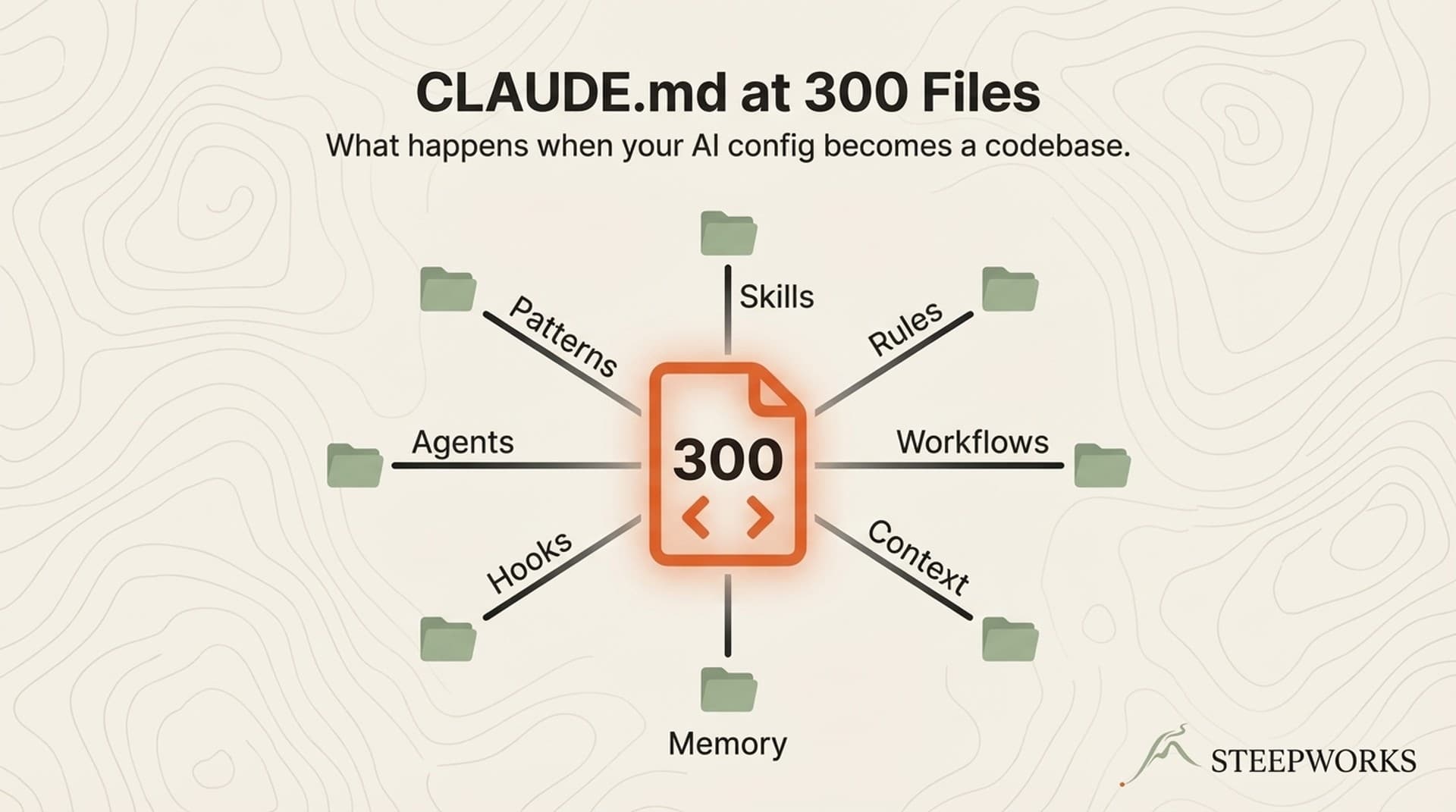
For context on how skill architecture intersects with broader system design, I wrote about the 300-file instruction architecture underneath these skills.
Update Positioning Once, Every Skill Reflects It
Here's a problem that shows up around skill 10 and becomes unbearable by skill 20.
I run a content skill for one brand and a meeting-prep skill for a consulting client. Both need my positioning, ICP definition, and competitive intel. When I updated my positioning last quarter, I had to find and update it in a dozen skill files. I missed three. A prospect got an outbound email with last quarter's value proposition.
The fix: one shared context file per company or workstream. Every skill checks for that file before executing and loads it automatically. Update my ICP definition in one place — the content producer, cold outbound writer, meeting prep dossier, and newsletter all reflect the change immediately.
Skills also chain in documented sequences. The planning skill produces a PRD. The execution skill reads it. The content producer feeds into the editor. Explicit sequences — not implicit wiring.
If you're building 5+ skills, you need shared infrastructure or you'll spend more time maintaining duplication than using skills. A shared context layer is maybe 2 hours to set up and saves dozens of hours over the first quarter.
One Library, Three AI Agents
The system today: 3 AI coding agents — Claude Code, Codex CLI, and Gemini — consuming from the same skill library. Canonical implementations live in one directory. Other agents get thin redirect files — 50-150 lines pointing back to the source. Update once, all platforms inherit.
Don't get me wrong — most teams aren't running 3 agents yet. This section isn't about what you need today. It's about avoiding a rebuild when you add a second agent in 6 months.
What I learned: not every skill needs portability. Only the 7 daily drivers are ported to Codex. The carousel image generator is Claude-only. Portability should be earned by usage, not applied by default. And model behavior varies — a skill that works on Claude Opus produces different results on Gemini. Cross-model testing is ongoing cost.
The principle: separate skill logic (what to do) from platform wiring (how to invoke it). Even with one agent, that separation makes skills more maintainable. Builder.io's Claude Code guide covers the foundations — the cross-platform pattern comes after.
What Killed the Other 45: A Failure Taxonomy
Tutorials teach what to build. Nobody teaches what dies.
Aspirational builds. Skills for workflows that don't happen often enough. The quarterly business review generator works beautifully — 4 times a year. That's a tool in a drawer. Build for daily or weekly workflows first.
Overlap casualties. Two skills doing similar things. Claude picks one semi-randomly. The loser stops getting invoked and atrophies. I had separate "content review" and "content quality" skills that both triggered on "review this." The one with sharper, more specific triggers won. The other got folded into a dispatcher mode. (The skeptical-buyer skill survived because its triggers are distinct — "critique this," "buyer POV," "stress-test" — no overlap with the content pipeline.)
Context hogs. Skills with 200+ line SKILL.md files consuming too much context window. One tried to document its entire architecture inline. When loaded, not enough room for the conversation. Refactored to 35 lines with 6 deep reference files. Same capability, 85% less context.
Orphaned experiments. Skills built for a specific project, never generalized. A brokerage sync mode built for one portfolio migration. Worked perfectly for that one task. Will never run again. Most insidious because they look like successes — until you realize they're consuming directory space with zero future value.
Trigger failures. Descriptions so generic ("use for knowledge work") that Claude never confidently selected them. If you can't write 5 specific phrases a user would actually say, the skill isn't ready.
The honest takeaway: building skills is cheap. Maintaining them is the real cost. Every skill you add increases the probability Claude picks the wrong one. The library should be pruned like a garden — deliberately, quarterly.
For more on production skill quality, this Towards Data Science piece has good engineering framing.
The 5 Patterns That Separate Daily Drivers from Shelf-Ware
After 1,270+ invocations and 6 months, five patterns. Every daily driver has all 5. Most dead skills were missing at least 2.
1. Trigger density over breadth. The git skill has 12 trigger phrases, all specific: "push this," "commit and push," "create a PR," "ship it." Dead skills had 2-3 vague triggers. I aim for 8-15 phrases mirroring how I'd actually ask.
2. Negative boundaries are mandatory. Every surviving skill states what it does NOT do. Without these, overlapping skills cannibalize each other. The dispatcher pattern is the architectural fix; negative boundaries are the immediate fix you can apply today.
3. State lives outside the conversation. ralph-execute stores all progress in the PRD file — current phase, iteration count, last action, next action, blockers, full iteration log. None of the daily drivers rely on conversation memory. Context compaction is a when, not an if.
4. SKILL.md stays under 50 lines; depth lives in references. Daily drivers have massive supporting infrastructure — produce-content has 43 files, the newsletter generator has 67 — but their descriptions are concise. Total supporting files: 640. If that content lived inline, you'd burn your context window before typing a word.
5. Usage tracking changes everything. A simple JSONL ledger appends a line every time a skill fires — skill name, timestamp, session ID, workstream. After 1,270+ entries: ralph-execute (523), push-pr (218), generate-baltimore-newsletter (51), deep-planning (19). 15 skills invoked once or twice. 12 never invoked at all. Can't prune what you can't measure. The ledger took 20 minutes to implement.
For more on how skill collections like this one with 39 examples compare: breadth is a good starting point. Without these 5 patterns, most will become shelf-ware within a month.
If You're Building Your First 10 Skills
Skills 1-5: Build for daily workflows. What do you do every single day? Meeting prep? Content drafts? Deal reviews? Pipeline reporting? Build those first. Not the aspirational "wouldn't it be cool if" skill. The workflow that eats your Tuesday morning.
Skills 5-15: Add the usage ledger and negative boundaries. Overlaps start appearing. Two skills claiming to handle "content." Add explicit "do NOT use when" sections. Add a JSONL logger. You'll be surprised — the skill you're proudest of might have 2 invocations while the boring git helper has 200.
Skills 15-30: Introduce the dispatcher pattern. Consolidate related skills under a single entry point. This is also when shared context files pay for themselves.
Skills 30+: Prune quarterly. If a skill hasn't been invoked in 30 days, move it to an archive directory. Not deleted — just out of Claude's active context. Check the ledger, be honest, let the dead weight go.
At every stage: customize ruthlessly. The skill shipping on day 1 should look nothing like the skill running on day 90. deep-planning has 30 commits. ralph-execute has 15. Produce-content has 43 supporting files. That iteration depth IS the product. Download the starting point. Build the rest yourself.
52 skills sounds impressive. 7 that ship daily is the actual system. Build for the 7.
Frequently Asked Questions
Why do most Claude Code skills end up unused?
The same reason most internal tools get abandoned: they solve a problem you have once a quarter, not once a day. Skills built for edge cases (quarterly reviews, one-off migrations, niche formatting) work fine when invoked but never build the muscle memory that makes a skill stick. The 7 daily drivers succeed because they sit in the critical path of work that happens every single day.
What makes a Claude Code skill a "daily driver"?
Three traits: it handles work you do at least 3x per week, it saves more than 10 minutes per invocation, and it runs without manual intervention beyond the trigger. Meeting prep, content review, git workflows, and newsletter generation all meet this bar. Skills that require heavy input or produce output that still needs significant human editing rarely become daily drivers.
How long does it take to build 52 skills?
Six months, but the distribution is uneven. The first 10 skills took the longest (learning the format, debugging YAML, establishing patterns). Skills 11-30 averaged under 15 minutes each because the patterns were established. Skills 31-52 were mostly variations on existing skills for new workstreams. Cumulative build time: roughly 40 hours across 6 months.
Should I build many skills or focus on a few?
Start with 3-5 skills that hit your daily workflow. Get those to production quality before expanding. The 52-skill count is a byproduct of running 8 workstreams — each workstream needs its own daily drivers. If you run 2 workstreams, 10-15 skills is likely your ceiling for skills that actually get used.
This workflow runs on Claude Code for GTM — the same stack that powers every STEEPWORKS skill and agent.