The 20-Minute Tax on Every Meeting
I used to spend 20 minutes before every external meeting doing the same routine. LinkedIn stalk the attendees. Scan the CRM for prior touchpoints. Google the company for recent news. Cobble it together in my head and hope I remembered the important parts. When the calendar was stacked back-to-back, I'd skip prep entirely. Those were always the worst meetings.
The real problem wasn't the time. It was the inconsistency. Big deal on the line? Thorough research, ready for anything. "Quick follow-up call" that turns out to be the meeting where the champion introduces you to the economic buyer? Cold.
Reps spend only 28% of their week actually selling. Fourteen percent goes to research. Manual account research eats one to three hours per account for reps who prep thoroughly. Most don't -- they prep unevenly, and the unevenness is where deals slip. Gartner predicted a 50%+ reduction in meeting prep time by 2026. Most teams haven't gotten there because they're pasting LinkedIn profiles into ChatGPT and calling it a system.
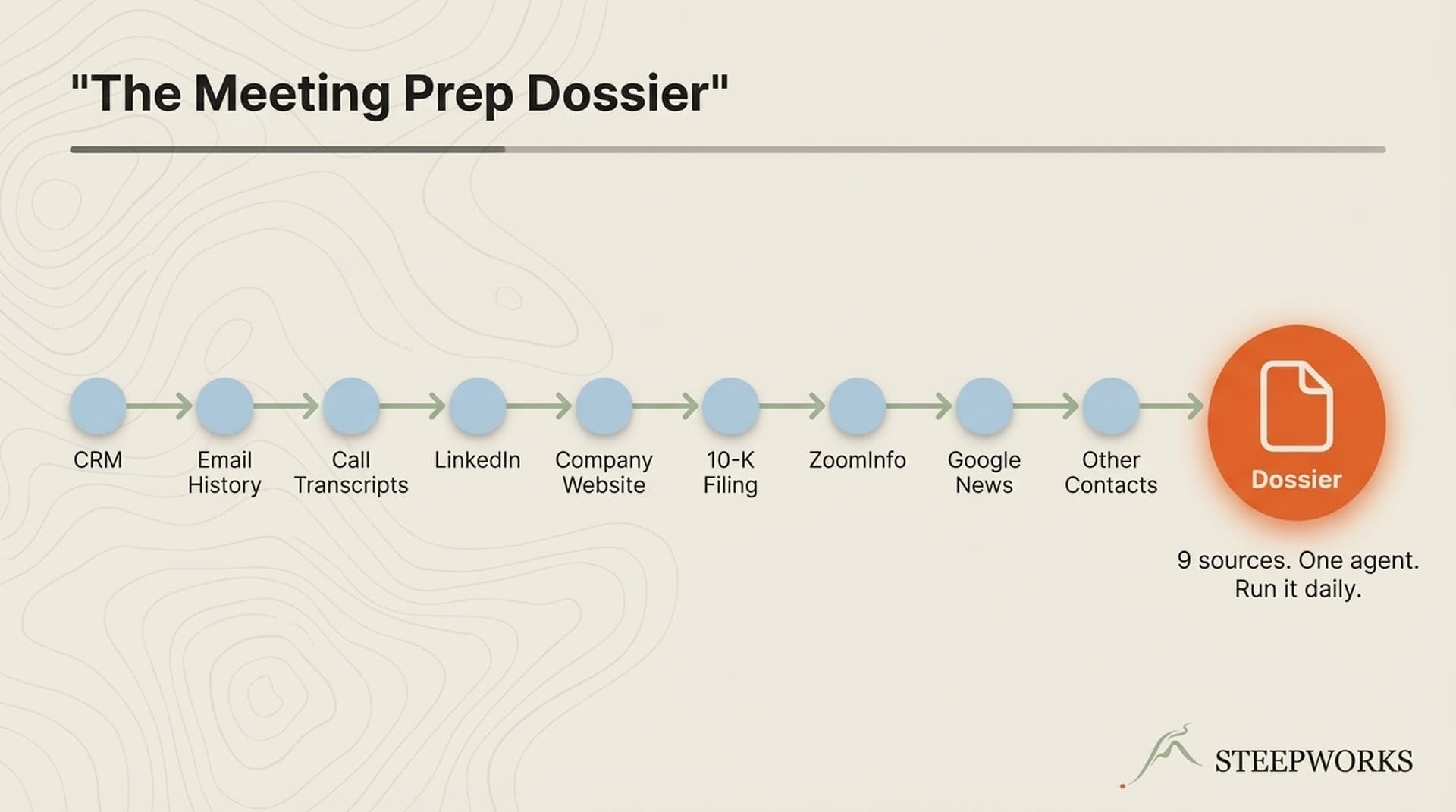
So I built one. An AI skill that generates a structured dossier for every external meeting. Not a summary. Not a digest. A dossier -- with attendee cards, company context, prior interactions, and prepared questions adapted to the meeting type.
It handles eight meeting types: sales discovery, follow-up, QBR, board meetings, partner calls, coffee chats, conference prep, and internal syncs.
CRM First -- The Architectural Decision Every Commercial Tool Gets Wrong
This is the most important decision in the system.
The data source hierarchy:
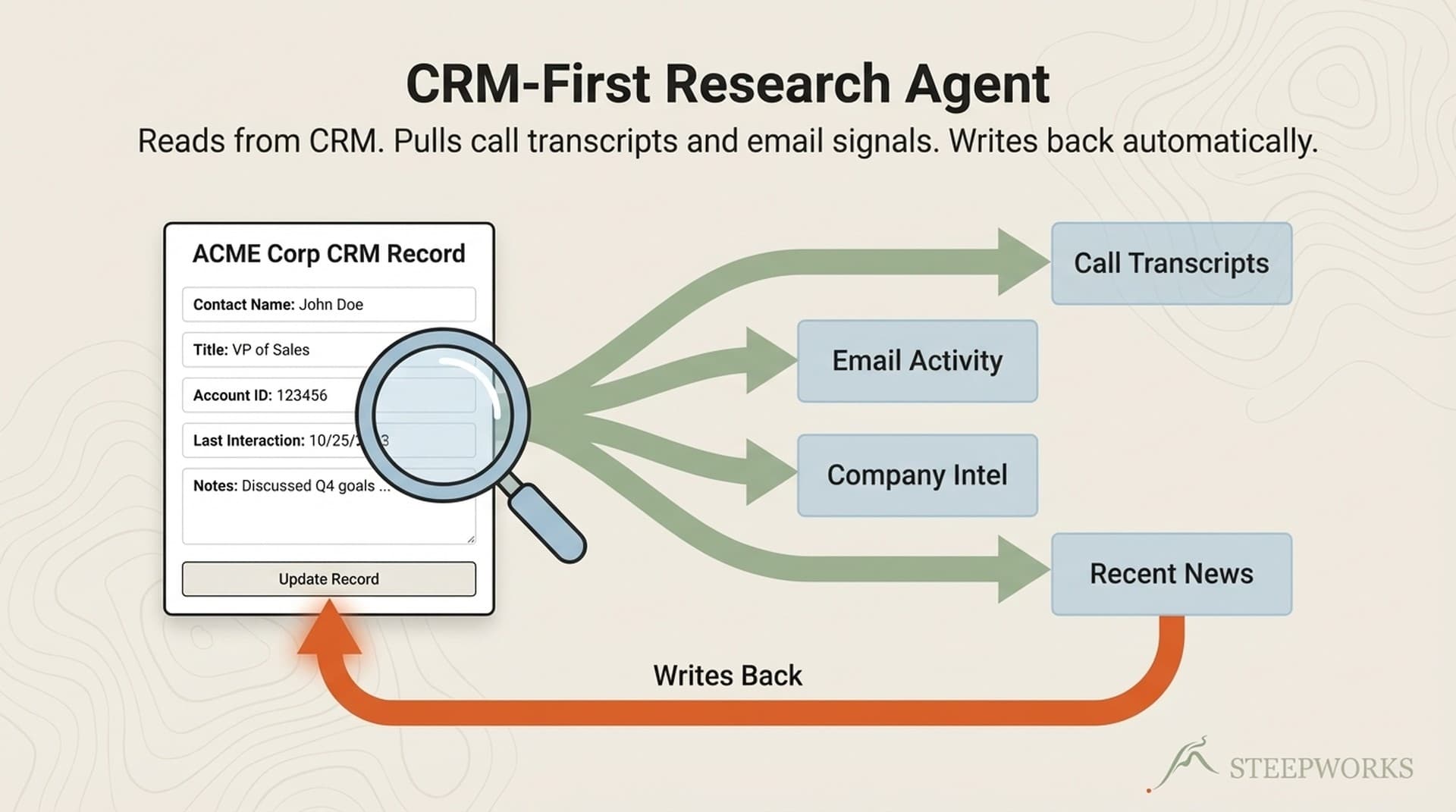
(0) CRM -- HubSpot, Salesforce, whatever you use. Prior deals, engagement history, contact properties, notes from past calls. Highest-signal data, already in your system. Ideally also your google or outlook data but that's often less possible at first.
(1) Web search -- LinkedIn, company news, press releases, podcast appearances. Fresh but noisy.
(2) Internal docs -- prior meeting notes, engagement records, email threads. Institutional memory outside the CRM.
(3) Prior interaction synthesis -- timeline of all touchpoints. The narrative thread connecting everything.
Why CRM first? The "How did you know that?" moments almost always come from surfacing CRM data that the user forgot they had. Your CRM already knows about the last three deals with this company, the open support tickets, the churned champion who just showed up at a new company. That context is worth more than any LinkedIn scrape.
For a sales follow-up, the CRM search surfaces the last call's action items, the open deal stage, and the champion's engagement score. The web search adds a leadership change at the prospect. Combined: your champion is still engaged, but there's a new VP who might reset the evaluation. Ask about reporting structure changes.
Neither source alone gets you there. But CRM has to come first because it provides the frame for interpreting everything else.
Messy CRMs? If CRM returns nothing, the system falls through to web research. You get a web-first dossier flagged: "[No CRM history found -- web research only.]" Running the system regularly exposes CRM gaps -- it becomes a forcing function for data hygiene because you see what's missing every time the CRM section comes back empty.
The hierarchy is CRM-agnostic. Works with any CRM that has an API. Top performers spend 35-40% of their time selling versus 28% for the average rep. The difference comes from automating the research layer.
What's in the Dossier
I've seen plenty of descriptions. Never the actual format. So here it is.
Header block. Meeting type badge, date/time, participants, objective, estimated read time (2-3 minutes).
Executive summary. Three bullets -- the top things to know before walking in. This is what you read with 30 seconds between meetings.
Attendee cards. Per-person: current role, tenure, career trajectory, recent activity (posts, talks, publications), likely priorities (inferred from role + company context), connection points (shared connections, alma mater, geography), decision authority (champion, influencer, gatekeeper, end user). Cards adapt by meeting type -- full profiles for discovery, abbreviated for follow-ups, light for coffee chats.
Company snapshot. Industry, size, revenue, HQ, recent developments, market position. Sales discovery adds tech stack and pain signals with confidence levels.
Prior interactions timeline. Date, type, key takeaway, open items. The institutional memory section. Emphasized for follow-up meetings.
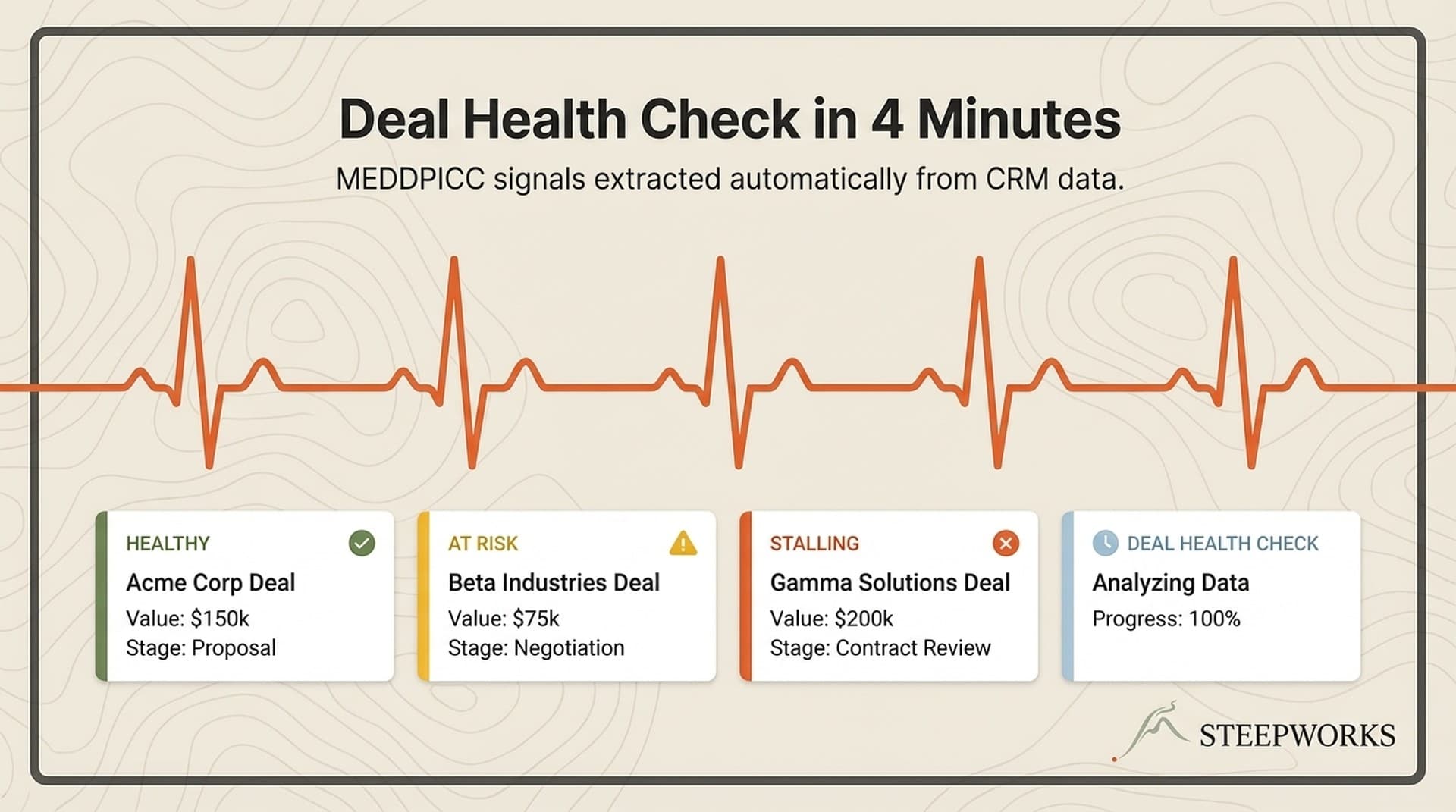
MEDDPICC snapshot (sales only). Status of each element (known/unknown) with notes. Shows exactly where deal intelligence gaps are.
Prepared questions. Three to five "must-ask" questions with strategic reasoning. Not "tell me about your challenges" -- specific questions tied to what the research surfaced.
Evidence tagging throughout. Every factual claim carries a source tag: [VERIFIED], [INFERRED] (logic stated), [NOT_FOUND]. When you read "[INFERRED from LinkedIn title + company size] Likely reports to CRO," you know how much to trust it.
Condensed fragment from a real dossier (anonymized):
MEETING DOSSIER -- Sales Discovery
Date: | Read time: ~3 min
Participants: You + 2 attendees | Objective: Qualify pain, map buying committee
EXECUTIVE SUMMARY
- Prospect's team doubled in 6 months -- likely scaling pains in tooling
- Champion (Dir. RevOps) published a LinkedIn post last week about
"outgrowing our current stack" -- warm entry point
- No prior CRM history -- first engagement with this company
ATTENDEE: Sarah Chen -- Dir. Revenue Operations
Role tenure: 8 months [VERIFIED -- LinkedIn]
Prior: Sr. Manager RevOps at [Enterprise SaaS co], 3 years
Recent activity: LinkedIn post on scaling RevOps tooling (Feb 12)
Likely priorities: Tool consolidation, reporting accuracy [INFERRED]
Connection points: Shared connection -- your VP Marketing knows her
former manager [VERIFIED -- LinkedIn mutual connection]
Decision authority: Champion [INFERRED -- title + meeting initiator]
PREPARED QUESTIONS
1. "You posted about outgrowing your current stack -- what specifically
is breaking at your current scale?"
Reason: Opens with their public signal, not our agenda.
2. "When your team doubled, which workflows broke first?"
Reason: Surfaces concrete pain tied to growth trigger.
Structured markdown output. Paste into Slack, Notion, terminal, calendar event. Portable by design.
How the Dossier Adapts by Meeting Type
Eight meeting types, each with a different research profile:
| Meeting Type | Research Depth | Key Sections Emphasized |
|---|---|---|
| Sales Discovery | FULL -- 5-phase research, full profiles, MEDDPICC | Everything activated |
| Sales Follow-up | DELTA -- what changed since last interaction | Prior interactions, action items, delta research |
| Customer Success / QBR | RELATIONSHIP -- account health focus | Interaction timeline, health signals, expansion opps |
| Board / Advisory | MEDIUM -- governance focus | Full attendee backgrounds, strategic topics |
| Partner / Vendor | MEDIUM -- mutual value focus | Mutual interests, shared capabilities |
| Informational / Coffee | LIGHT -- conversation starters | Career highlights, connection points |
| Conference / Event | LIGHT -- event context | Speaker topics, event agenda, follow-up plan |
| Internal Sync | MINIMAL -- agenda focus | Role context, open action items |
Auto-classification uses keyword signals in the meeting description, attendee signals (internal vs. external, customer vs. prospect), and company signals (in CRM? existing customer?). Initial accuracy was ~70%. Adding the company signal layer brought it to ~90%. The rest gets caught by override.
Real example. I had a "follow-up call" on my calendar. The system classified it as Sales Follow-up and pulled the DELTA profile. The prospect had promoted our champion to VP in the interim. Dossier flagged: "[VERIFIED -- LinkedIn, updated 2 weeks ago] Role change: promoted from Director to VP of Revenue Operations."
That changed my entire approach. Congratulated her, repositioned for VP-level scope, asked about expanded responsibilities. A generic re-scrape would have shown the new title. The DELTA profile highlighted the change against a baseline. Information versus intelligence.
Research depth should match meeting stakes. Deep research on a coffee chat wastes time. Walking into discovery unprepared wastes the meeting.
The "How Did You Know That?" Moments
The CRO anecdote from the title is real.
Sales discovery call with a mid-market fintech. The dossier surfaced a connection: the prospect's VP of Engineering had co-authored a conference paper with our CRO at a previous company -- seven years ago. Nobody on our team knew. Our CRO mentioned it in the first five minutes. The prospect said, "Wait -- you know about that?" Tone shifted from evaluation to collaboration. Closed in half the typical cycle.
The dossier mined LinkedIn career histories and cross-referenced them with our CRO's profile. Found the shared employer overlap and the co-authored paper via web search. A human would never surface that -- nobody cross-references career histories for every meeting attendee.
Five categories of surprise information show up consistently:
- Mutual connections and shared history. Co-authored papers, shared employers, board overlaps, conference co-panelists.
- Recent role changes. Promotions, lateral moves. Your CRM contact record is almost certainly stale.
- Deal history you forgot. That pilot from 18 months ago. The support ticket from two years ago. The churned user now at a different company.
- Company signals. Funding last week, layoffs, product launches, executive departures.
- Content signals. The prospect's VP just published a LinkedIn post about exactly the problem you solve.
Honest frequency: not every dossier produces a jaw-drop. The surprise connections happen maybe one in three or four meetings. Those are the meetings that change deal trajectories. The rest make you consistently more prepared than the competition. Consistent preparation compounds.
Build This Yourself or Get 80% With Existing Tools
I built a custom skill. You probably shouldn't on day one.
The "Tomorrow Morning" Version (Free)
Before your next meeting, five minutes with this prompt:
"I have a [meeting type] with [name, title] at [company] tomorrow. Research this person and their company. Give me: (1) career trajectory and recent activity, (2) company's recent news and market position, (3) 3 specific questions I should ask, and (4) connection points between their background and mine: [your brief background]. Tag every claim as [VERIFIED] or [INFERRED]."
Gets you 40-50% of the dossier's value. No tools, no setup. If you do nothing else after reading this, try it before your next meeting.
The "Existing Tools" Version (60-70%)
Combine conversation intelligence with the prompt above:
- Gong / Chorus: Pull prior call summaries. Gong's meeting prep feature surfaces prior interaction data automatically.
- Cirrus Insight: Calendar-scan for automatic research digests.
- HubSpot timeline: Engagement history before every external call.
The gap: none adapt by meeting type, cross-reference attendee histories, or tag evidence confidence. But they cover the basics today.
The "Full System" Version (90-100%)
A custom skill that pulls CRM first, classifies meeting type, generates structured dossier with attendee cards, evidence tagging, and prepared questions with strategic reasoning.
This is what I run. Weeks to build and tune. The compound advantage shows after the 20th dossier -- the system learns your meeting patterns, relationships, and deal history. The dossier is one skill in a broader system. The AI GTM Stack I Actually Use covers the full architecture.
| Feature | ChatGPT Prompt | Gong + Cirrus | Full System |
|---|---|---|---|
| Attendee research | Basic | Basic | Full cards with evidence tags |
| Meeting-type adaptation | Manual | None | Automatic (8 types) |
| CRM-first hierarchy | None | Partial (own ecosystem) | Full (CRM-agnostic) |
| Prior interaction mining | None | Own data only | All sources |
| Evidence tagging | If prompted | None | Built-in |
| Prepared questions | Generic | None | Strategic with reasoning |
| MEDDPICC snapshot | If prompted | Partial | Full (sales meetings) |
What Broke Along the Way
First version was too long. Three to four pages. Nobody read them. Fix: executive summary (three bullets) and a two-to-three-minute scan target.
Web search without CRM context is noisy. First version searched the web first. Impressive-looking research that missed the most important context: your own history with this person. Flipping to CRM-first was the single biggest quality improvement.
Auto-classification was wrong 30% of the time. "Follow-up call with Acme" -- sales follow-up or customer success check-in? Couldn't tell from the title alone. Adding company signals (customer or prospect in CRM?) brought accuracy to ~90%.
Evidence tagging was an afterthought that became critical. Got burned: a dossier confidently stated a prospect had 500 employees. They had 50. Stale Crunchbase page. Now every claim carries provenance.
Prior interaction mining depends on your note-taking. If you don't log notes, the highest-value section comes back empty. The system didn't just consume CRM data -- it made our data better by revealing gaps.
Every Meeting Is a Performance
Buyers spend only 17% of their buying journey meeting with potential suppliers. Every meeting is scarce face time. Prep quality determines whether that time creates momentum or friction.
The dossier doesn't replace preparation. It replaces the manual research phase so you spend prep time on strategy instead of Googling. Read the three-bullet summary. Scan the attendee cards. Review the prepared questions. Walk in knowing what matters.
Start with the free prompt before your next meeting. If it changes even one conversation, you'll understand why I built the full system.
The meeting prep dossier is one example of a broader principle: build systems that compound, not tactics that expire. A single dossier saves 20 minutes. A dossier system that runs before every meeting, adapts to type, and learns your relationship history -- that compounds into an information advantage your competitors can't match by working harder.
Approaches like this are part of a broader AI GTM strategy — where systems replace manual repetition across the go-to-market stack.